
WONNIE dual screen car DVD players give back-seat passengers their own screens for watching movies on family trips. They play supported discs without an internet connection, making them useful where mobile coverage is unreliable. Choose a player-and-monitor set for watching the same film together, or two independent DVD players when passengers prefer different movies. Depending on the model, additional features include rechargeable batteries, USB or memory card playback, headphone connections, and playback resume.
WONNIE 612D Dual 7.5-Inch Car DVD Players
Description
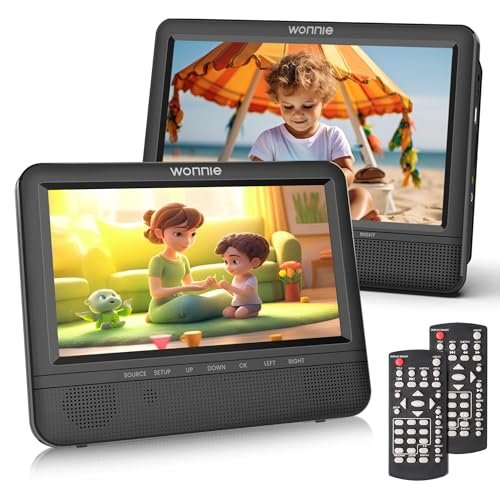
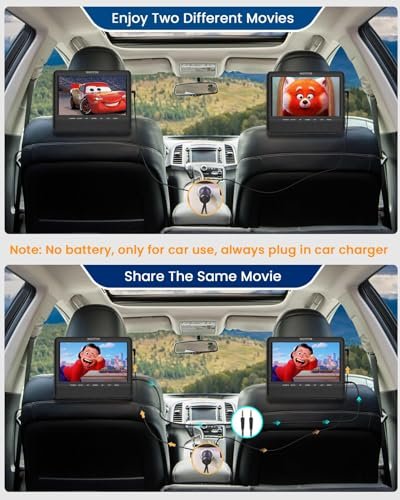
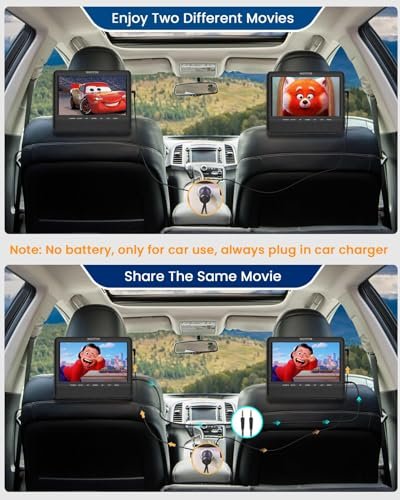
The WONNIE 612D includes two 7.5-inch car DVD players with separate disc drives. Rear-seat passengers can watch different movies independently or connect the units with the included AV cable to display the same movie. Two headrest straps provide mounting for vehicle use.
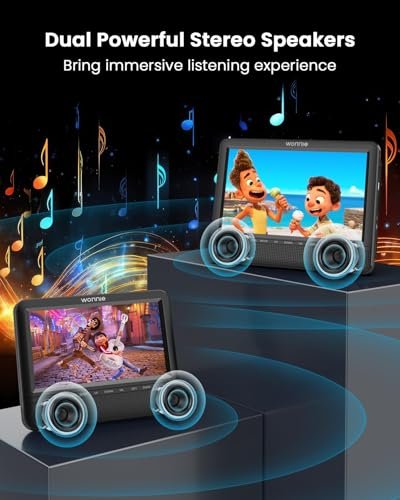
This set is designed for car use only and runs from the included 2-in-1 car charger. Neither player has a built-in battery, and an AC adapter is not included. Each unit has dual stereo speakers, independently adjustable volume, and a headphone jack for wired listening. Two remote controls allow separate operation of the players.
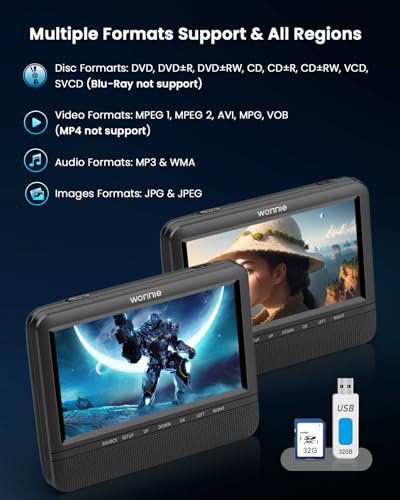
Both players support all-region DVDs, compatible recordable discs, and video, audio, and image files through USB drives or SD/MMC cards with capacities up to 32GB. Supported video files are limited to 720 × 576 pixels. Blu-ray discs, MP4 files, and Bluetooth are not supported.
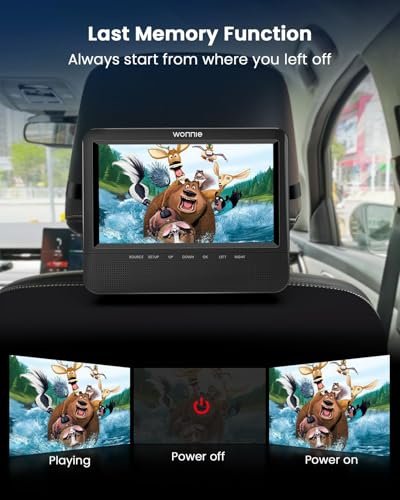
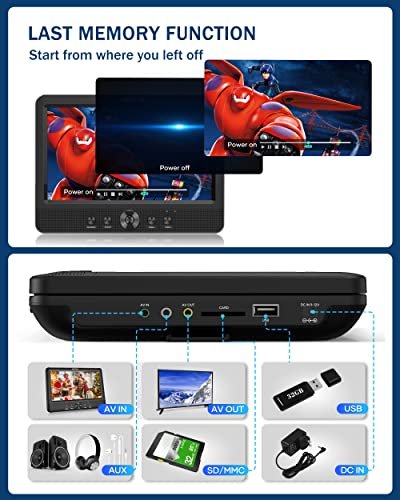
AV input and output allow the players to connect for shared viewing. The last-memory function resumes playback from the previous stopping point, reducing the need to restart a disc after an interruption.
Features
- Separate disc drives allow passengers to watch different movies independently
- Included AV cable connects both players for shared movie playback
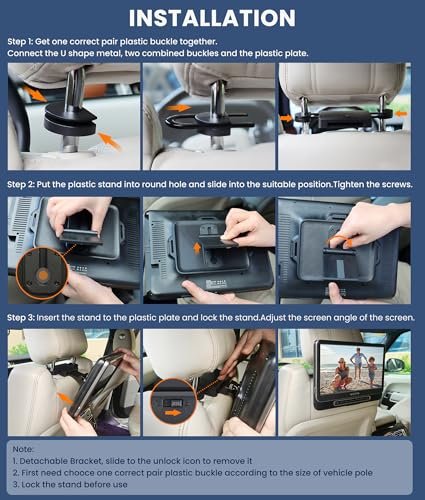
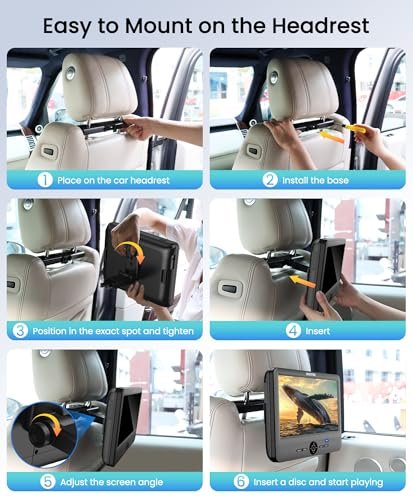
- Two headrest straps attach the players to compatible vehicle headrests
- Included 2-in-1 car charger powers both players without built-in batteries
- Each unit has dual stereo speakers and independently adjustable volume
- Headphone jacks and separate remote controls provide individual listening and playback options
- All-region DVD playback and USB/SD/MMC slots support multiple media sources
- Last-memory function resumes playback from the previous stopping point


Specifications
- Brand
- WONNIE
- Model
- 612D
- Part Number
- W-612D
- Product Type
- Dual Car DVD Players
- Color
- Black
- Included Players
- 2
- Screen Size
- 7.5 inches each
- Disc Drives
- 1 per player
- Playback Modes
- Independent movies, shared movie via AV connection
- Power Source
- 2-in-1 car charger
- Built-in Battery
- None
- Intended Use
- Car only
- DVD Region Support
- All regions
- Supported Disc Formats
- DVD, DVD+R, DVD-R, DVD+RW, DVD-RW, CD, CD-R, CD-RW, VCD, SVCD
- Media Inputs
- USB, SD/MMC
- Maximum USB/Card Capacity
- 32GB
- Maximum USB/Card Video Resolution
- 720 × 576 pixels
- Supported Video Formats
- VOB, AVI, MPEG-1, MPEG-2
- Supported Audio Formats
- MP3, WMA
- Supported Image Formats
- JPG, JPEG
- Speakers
- 2 stereo speakers per player
- Audio Connections
- Headphone jack on each player
- AV Connections
- AV input and output
- Control Type
- On-device controls, remote controls
- Playback Memory
- Last-memory function
- Installation Type
- Headrest straps
- Included Components
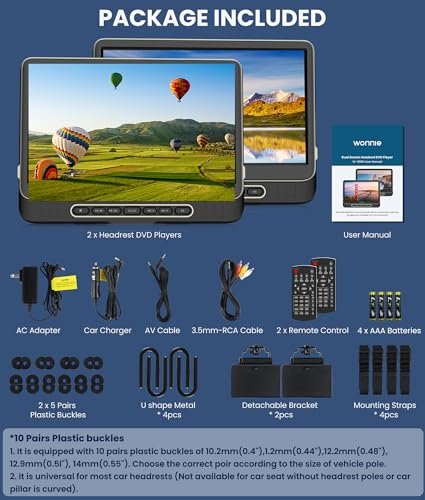
- 2 DVD players, 2 remote controls, 2 headrest straps, 1 car charger, 1 AV cable, 1 user manual
WONNIE Dual 7.5-Inch Car DVD Players with AC Adapter Bundle
Description
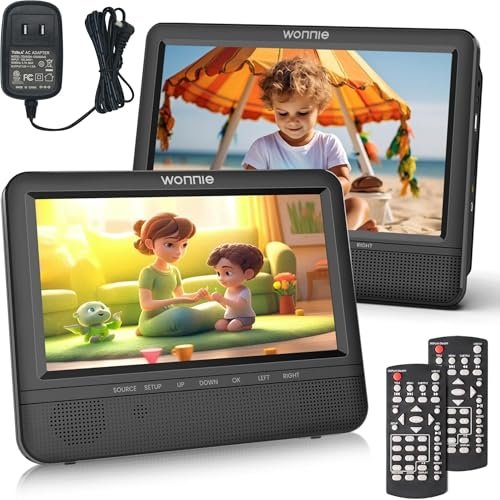
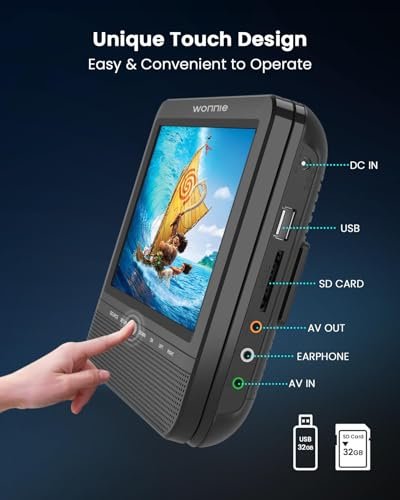
This WONNIE bundle includes two 7.5-inch car DVD players, an AC adapter, and a 2-in-1 car charger. Each player has its own disc drive, allowing passengers to watch different movies independently. Connecting the units with an AV cable lets both screens display the same movie. Two included headrest straps attach the players to vehicle headrests.
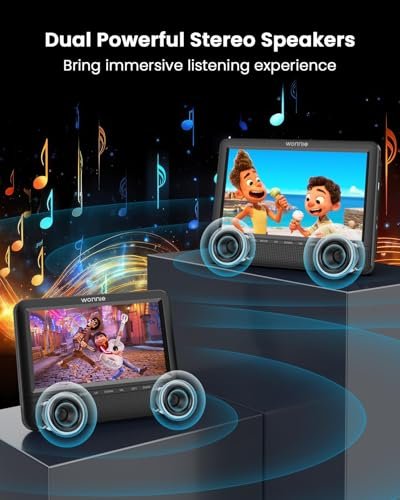
Neither player has a built-in battery, so an external power connection is required during use. Each unit has dual stereo speakers and independently adjustable volume, with controls available on the player or through a remote. Headphone jacks support wired headphones for separate listening.
The players support all-region DVDs, compatible recordable discs, and media files stored on USB drives or SD/MMC cards with capacities up to 32GB. Supported video formats include VOB, AVI, MPEG-1, and MPEG-2, with a maximum file resolution of 720 × 576 pixels. MP3 and WMA audio and JPG and JPEG images are also supported. Blu-ray discs and MP4 files are not supported.
The last-memory function resumes playback from the previous stopping point. Although an AC adapter is included, the listing also describes the players as intended for car use only; the intended use of the adapter should be clarified before planning home operation.
Features
- Separate disc drives allow passengers to watch different movies independently
- AV cable connection lets both players display the same movie
- Two included headrest straps attach the players to vehicle headrests
- Bundle includes an AC adapter and a 2-in-1 car charger
- Each player has dual stereo speakers and independently adjustable volume
- Headphone jacks support private listening through wired headphones
- All-region DVD playback and USB/SD/MMC support provide multiple media options
- Last-memory function resumes playback from the previous stopping point



Specifications
- Brand
- WONNIE
- Product Type
- Dual Car DVD Player Bundle
- Included Players
- 2
- Screen Size
- 7.5 inches each
- Disc Drives
- 1 per player
- Playback Modes
- Independent movies, shared movie via AV connection
- Power Source
- External power
- Built-in Battery
- None
- DVD Region Support
- All regions
- Supported Disc Formats
- DVD, DVD+R, DVD-R, DVD+RW, DVD-RW, CD, CD-R, CD-RW, VCD, SVCD
- Media Inputs
- USB, SD/MMC
- Maximum USB/Card Capacity
- 32GB
- Maximum USB/Card Video Resolution
- 720 × 576 pixels
- Supported Video Formats
- VOB, AVI, MPEG-1, MPEG-2
- Supported Audio Formats
- MP3, WMA
- Supported Image Formats
- JPG, JPEG
- Speakers
- 2 stereo speakers per player
- Audio Connections
- Headphone jack on each player
- Control Type
- On-device controls, remote control
- Playback Memory
- Last-memory function
- Installation Type
- Headrest straps
- Included Components
- 2 DVD players, AC adapter, 2-in-1 car charger, 2 headrest straps
WONNIE SMJ1011 Dual 10.5-Inch Car DVD Players
Description
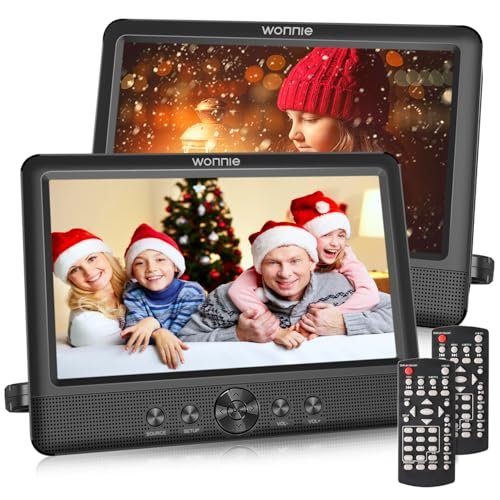
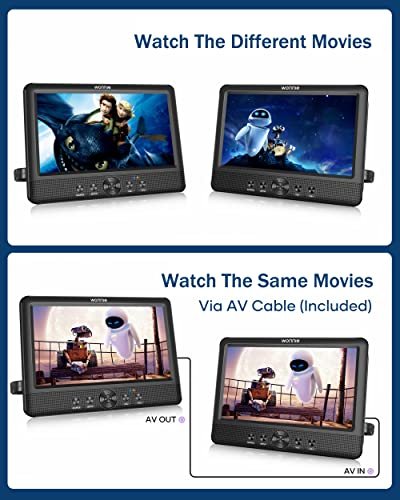
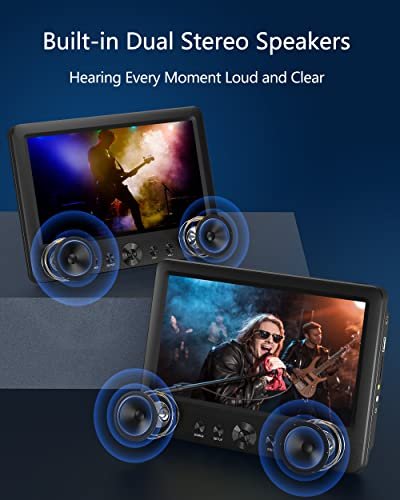
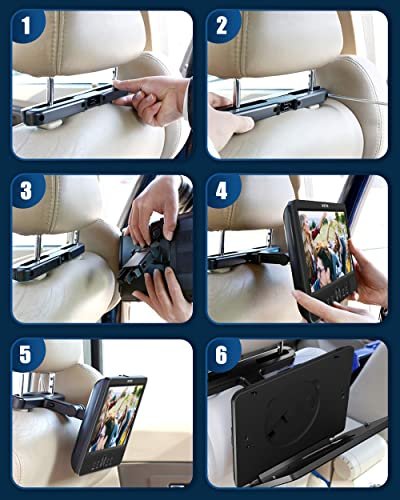
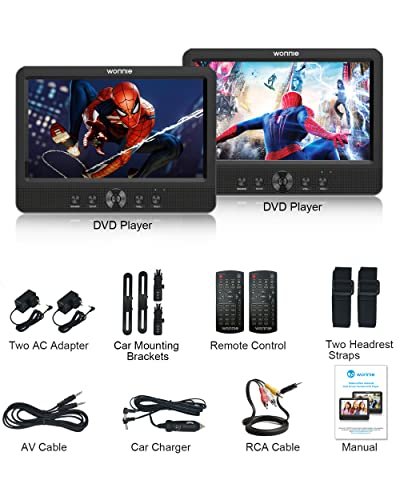
The WONNIE SMJ1011 includes two separate DVD players with 10.5-inch 1280 × 800 screens and individual disc drives. Passengers can watch different movies independently or connect the players by AV cable to display the same movie. Two headrest mounting brackets and two mounting straps provide alternative installation methods.
Each player has a built-in rechargeable battery with a claimed playback time of up to 5 hours. Two included AC adapters provide power at home, while the 2-in-1 car charger can charge both players from a 12V vehicle outlet. Each unit has dual stereo speakers, independent volume adjustment from 0–20, and a headphone jack for wired headphones or external speakers.
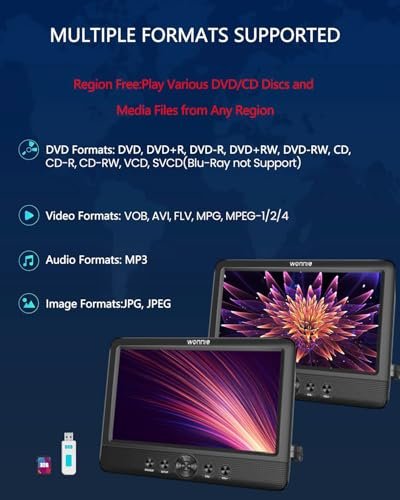
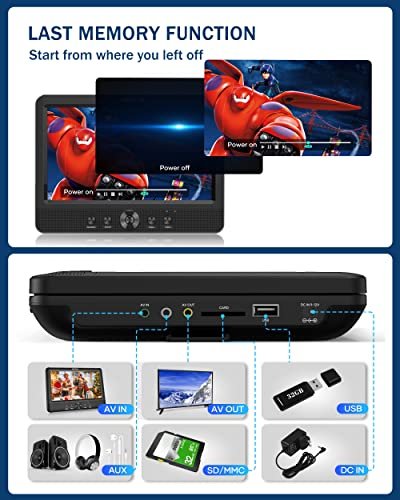
The players support region-free DVD playback, compatible recordable discs, and video, audio, and image files through USB drives or SD/MMC cards. Storage capacity is limited to 32GB, and supported video files must not exceed 720 × 576 pixels, despite the higher screen resolution. Listed video formats include VOB, AVI, FLV, MPG, and MPEG-1/2/4. Blu-ray discs are not supported.
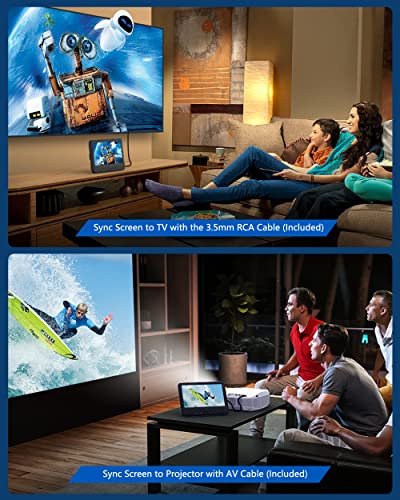
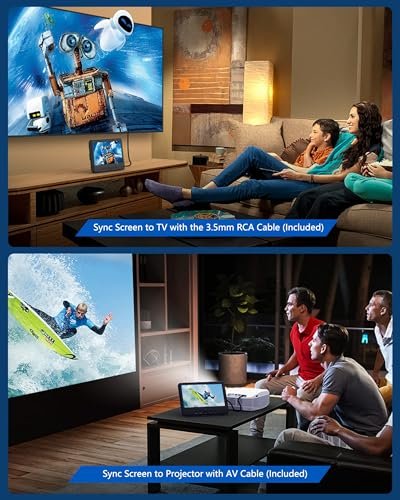
AV output on each player and the included RCA cable allow viewing on a compatible TV or projector. Volume can also be adjusted through remote controls. The last-memory function retains the previous playback position after the player is turned off, allowing you to resume rather than restart the movie.
Features
- Separate disc drives allow passengers to watch different movies independently
- AV cable connection lets both players display the same movie
- Two mounting brackets and two headrest straps provide alternative installation options
- Each rechargeable battery offers a claimed playback time of up to 5 hours
- Two AC adapters and a dual car charger provide home and 12V vehicle power
- Each player has dual stereo speakers, independent volume adjustment, and a headphone jack
- All-region DVD playback and USB/SD/MMC slots support multiple media sources
- Last-memory function retains the previous playback position after the player is turned off
Specifications
- Brand
- WONNIE
- Model
- SMJ1011
- Part Number
- P-USMJ1011
- Product Type
- Dual Car DVD Players
- Color
- Black
- Included Players
- 2
- Screen Size
- 10.5 inches each
- Screen Resolution
- 1280 × 800 pixels
- Disc Drives
- 1 per player
- Playback Modes
- Independent movies, shared movie via AV connection
- Power Source
- Built-in rechargeable batteries, AC adapters, car charger
- Claimed Runtime
- Up to 5 hours per player
- Car Charger
- 2-in-1, 12V vehicles
- DVD Region Support
- All regions
- Supported Disc Formats
- DVD, DVD+R, DVD-R, DVD+RW, DVD-RW, CD, CD-R, CD-RW, VCD, SVCD
- Media Inputs
- USB, SD/MMC
- Maximum USB/Card Capacity
- 32GB
- Maximum USB/Card Video Resolution
- 720 × 576 pixels
- Supported Video Formats
- VOB, AVI, FLV, MPG, MPEG-1, MPEG-2, MPEG-4
- Supported Audio Formats
- MP3
- Supported Image Formats
- JPG, JPEG
- Speakers
- 2 stereo speakers per player
- Volume Levels
- 0–20, independently adjustable
- Audio Connections
- Headphone jack on each player
- Video Output
- AV output on each player
- Control Type
- On-device controls, remote controls
- Playback Memory
- Last-memory function
- Installation Type
- Headrest mounting brackets or straps
- Included Components
- 2 DVD players, 2 AC adapters, 2-in-1 car charger, 2 mounting brackets, 2 headrest straps, RCA cable
WONNIE US1011B Dual 10.5-Inch Car DVD Players
Description
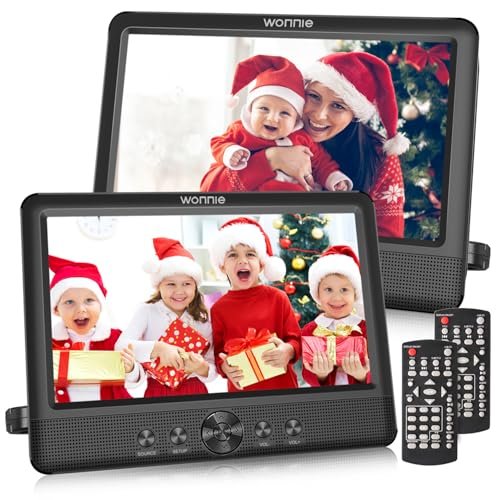
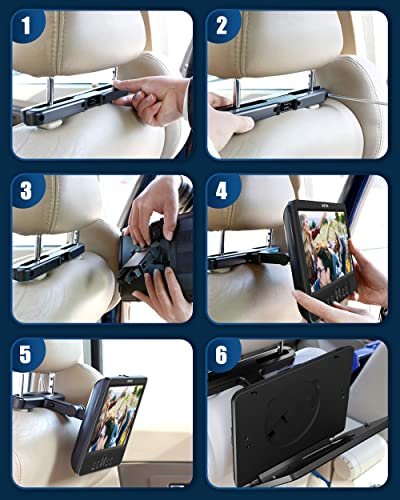
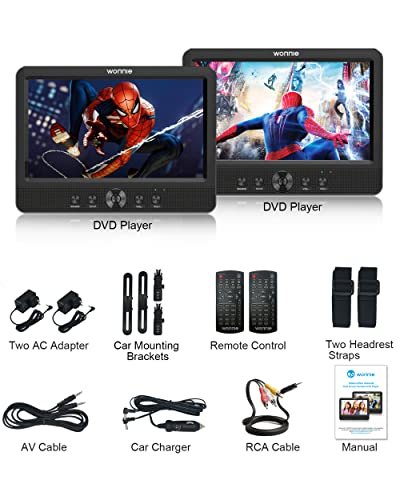
The WONNIE US1011B includes two separate DVD players, each with a 10.5-inch 1280 × 800 screen and its own disc drive. Rear-seat passengers can watch different movies independently or share the same movie by connecting the players with an AV cable. Two mounting brackets and two headrest straps provide alternative installation methods.
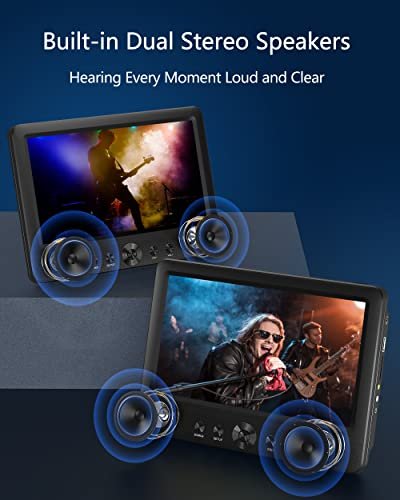
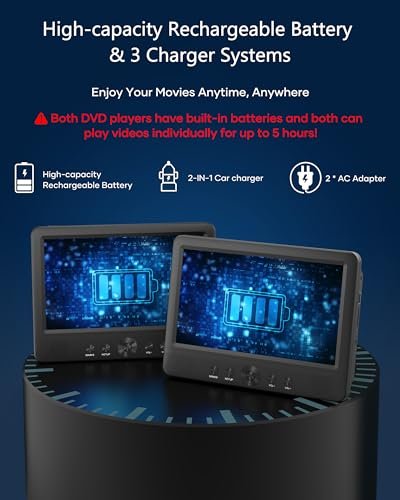
Each player has a built-in rechargeable battery with a claimed runtime of up to 5 hours when used independently. Two AC adapters provide power at home, while the included 2-in-1 car charger powers both units from a 12V vehicle outlet. Each unit also has two stereo speakers, independent volume adjustment from 0–20, and a headphone jack for wired listening.
Both players support all-region DVDs, compatible recordable discs, and media files through USB 2.0 and SD/MMC slots. USB drives and memory cards must use FAT32 formatting and have a capacity of no more than 32GB. Video files are limited to 720 × 576 pixels despite the higher screen resolution. Blu-ray discs, MP4 files, and Bluetooth are not supported.
AV input and output on each unit allow shared playback between the players or output to a compatible TV or projector. Playback volume can also be adjusted by remote control. The last-memory function resumes playback from the previous stopping point.
Features
- Separate disc drives let passengers watch different movies independently
- AV cable connection allows both players to display the same movie
- Two mounting brackets and two headrest straps provide alternative installation options
- Each rechargeable battery offers up to 5 hours of independent playback
- Two AC adapters and a dual car charger provide home and 12V vehicle power
- Each player has dual stereo speakers, independent volume control, and a headphone jack
- All-region DVD playback and USB/SD/MMC slots support multiple media sources
- AV input and output support shared viewing and playback on compatible external displays


Specifications
- Brand
- WONNIE
- Model
- US1011B
- Part Number
- W-US1011B
- Product Type
- Dual Car DVD Players
- Color
- Black
- Included Players
- 2
- Screen Size
- 10.5 inches each
- Screen Resolution
- 1280 × 800 pixels
- Disc Drives
- 1 per player
- Playback Modes
- Independent movies, shared movie via AV connection
- Power Source
- Built-in rechargeable batteries, AC adapters, car charger
- Claimed Independent Runtime
- Up to 5 hours per player
- Car Charger
- 2-in-1, 12V vehicles only
- DVD Region Support
- All regions
- Supported Disc Formats
- DVD, DVD+R/RW, DVD-R/RW, CD, CD-R/RW, VCD, SVCD
- USB Interface
- USB 2.0
- Memory Card Support
- SD, MMC
- Maximum USB/Card Capacity
- 32GB
- USB/Card File System
- FAT32
- Maximum USB/Card Video Resolution
- 720 × 576 pixels
- Supported Video Formats
- VOB, AVI, MPEG-1, MPEG-2
- Supported Audio Formats
- MP3, WMA
- Supported Image Formats
- JPG, JPEG
- Speakers
- 2 stereo speakers per player
- Volume Levels
- 0–20, independently adjustable
- Audio Connections
- Headphone jack on each player
- AV Connections
- AV input and output on each player
- Control Type
- On-device controls, remote control
- Playback Memory
- Last-memory function
- Installation Type
- Headrest mounting brackets or straps
- Included Components
- 2 DVD players, 2 AC adapters, 2 mounting brackets, 2 headrest straps, 2-in-1 car charger
WONNIE W-1106D Dual 12-Inch Car DVD Players
Description
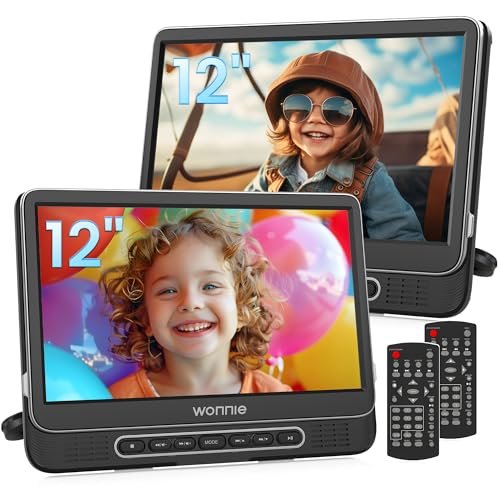
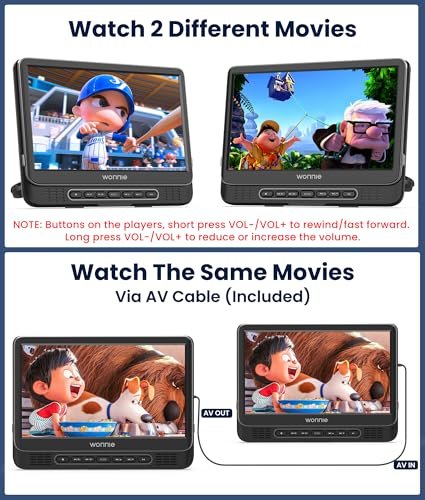
The WONNIE W-1106D includes two 12-inch car DVD players with separate disc drives, allowing rear-seat passengers to watch different movies independently. To share one movie, connect the players with an AV cable and switch the second unit to AV mode using its MODE button. Each player’s clamshell design allows disc changes without removing it from its headrest mount.
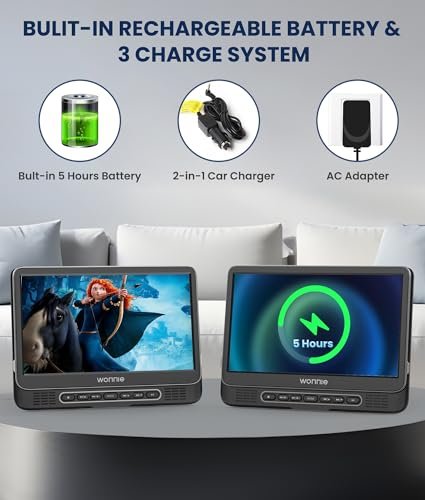
Each unit has a rechargeable battery rated for up to 5 hours of independent playback. The listing states approximately 2.5 hours of playback when connected for the same movie. An included AC adapter and 2-in-1 car charger provide additional power options; the car charger is for 12V vehicles only.
Both players support all-region DVDs, compatible recordable discs, and USB media. USB drives must use FAT32 formatting, have a capacity of no more than 32GB, and contain supported video files at resolutions no higher than 720 × 576 pixels. Blu-ray discs, MP4 files, and Bluetooth are not supported.
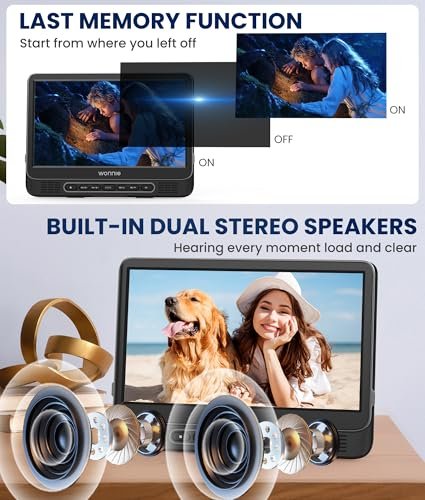
Each player has two stereo speakers and a headphone jack, with volume adjustment available through remote controls. On the player itself, holding VOL+ or VOL− changes volume; a short press fast-forwards or rewinds. Two mounting brackets and two headrest straps offer alternative installation methods. An included RCA cable supports output to compatible TVs or projectors, and last-memory playback resumes from the previous stopping point.
Features
- Separate disc drives allow passengers to watch different movies independently
- AV connection lets both players display the same movie
- Clamshell design allows disc changes without removing the headrest-mounted players
- Two mounting brackets and two headrest straps provide alternative installation options
- Rechargeable batteries offer up to 5 hours independently or approximately 2.5 hours during shared playback
- AC adapter and dual car charger provide home and 12V vehicle power
- Each player has dual stereo speakers and a headphone jack for wired listening
- All-region DVD and USB playback include last-memory support for resuming movies


Specifications
- Brand
- WONNIE
- Model
- W-1106D
- Product Type
- Dual Car DVD Players
- Color
- Black
- Included Players
- 2
- Screen Size
- 12 inches each
- Disc Drives
- 1 per player
- Playback Modes
- Independent movies, shared movie via AV connection
- Power Source
- Built-in rechargeable batteries, AC adapter, car charger
- Claimed Independent Runtime
- Up to 5 hours per player
- Claimed Shared Playback Runtime
- Approximately 2.5 hours
- Car Charger
- 2-in-1, 12V vehicles only
- DVD Region Support
- All regions
- Supported Disc Formats
- DVD, DVD±R, DVD±RW, CD, CD-R, CD-RW, VCD, SVCD
- Media Input
- USB
- Maximum USB Capacity
- 32GB
- USB File System
- FAT32
- Maximum USB Video Resolution
- 720 × 576 pixels
- Supported Video Formats
- VOB, AVI, MPEG-1, MPEG-2
- Supported Audio Formats
- MP3, WMA
- Supported Image Formats
- JPG, JPEG
- Speakers
- 2 stereo speakers per player
- Audio Connections
- Headphone jack on each player
- AV Connections
- AV input for shared playback, AV output
- Control Type
- On-device buttons, remote controls
- Playback Memory
- Last-memory function
- Installation Type
- Headrest mounting brackets or straps
- Disc Access
- Clamshell
- Included Components
- 2 DVD players, AC adapter, 2-in-1 car charger, 2 mounting brackets, 2 headrest straps, RCA cable
WONNIE W-3015 Dual 10-Inch Car DVD Players
Description
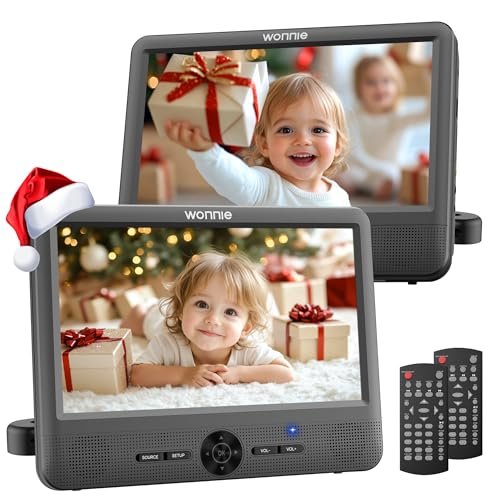
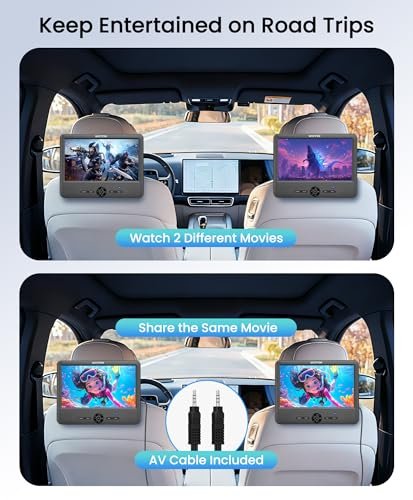
The WONNIE W-3015 includes two 10-inch DVD players with separate disc drives for rear-seat entertainment. Passengers can watch different movies independently or share the same movie using the included AV cable. For shared playback, press SOURCE on the second player to switch it to AV mode.
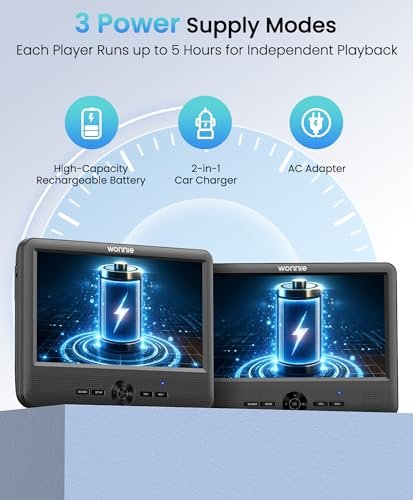
Each player has a rechargeable battery rated for up to 5 hours of independent playback. The listing states approximately 2.5 hours when both players are connected for shared playback. Two AC adapters provide power at home, while a 2-in-1 car charger powers both units from a 12V vehicle outlet. Two mounting brackets and two headrest straps offer alternative ways to attach the players.
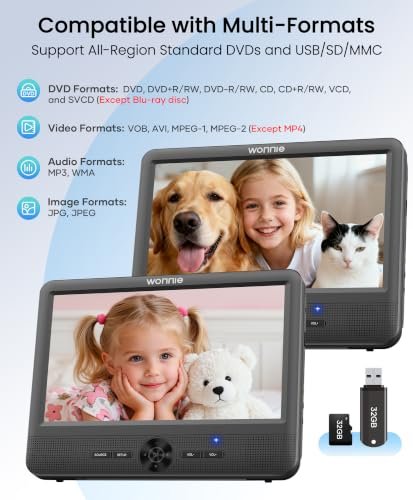
Both units support all-region DVDs, compatible recordable discs, and media stored on USB drives or SD/MMC cards. Storage must use FAT32 formatting and have a capacity of no more than 32GB. Supported video files are limited to 720 × 576 pixels. Blu-ray discs and MP4 files are not supported.
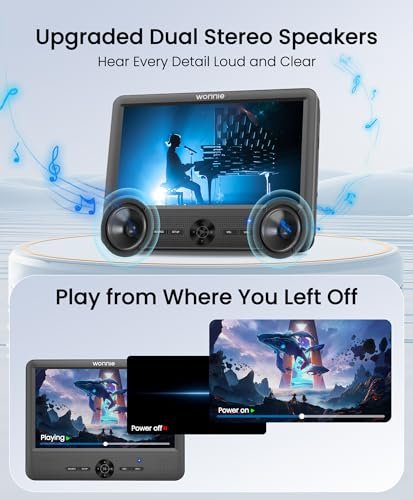
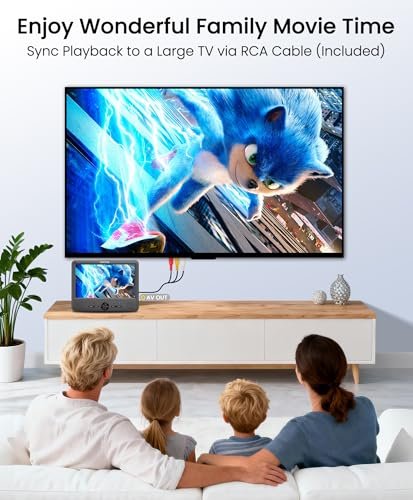
Each player has dual stereo speakers, independently adjustable volume, and a headphone jack for wired listening. Two included remote controls provide separate control of the units. AV output and the supplied RCA cable allow playback on a compatible TV or projector, while the last-memory function resumes from the previous stopping point.
Features
- Separate disc drives allow passengers to watch different movies independently
- Included AV cable connects both players for shared movie playback
- Rechargeable batteries offer up to 5 hours independently or approximately 2.5 hours during shared playback
- Two AC adapters and a dual car charger provide home and 12V vehicle power
- Mounting brackets and headrest straps provide two installation options
- Each player has dual stereo speakers, independent volume control, and a headphone jack
- All-region DVD playback and USB/SD/MMC slots support multiple media sources
- AV output supports external displays, while last-memory playback resumes from the previous stopping point

Specifications
- Brand
- WONNIE
- Model
- W-3015
- Product Type
- Dual Car DVD Players
- Color
- Black
- Included Players
- 2
- Screen Size
- 10 inches each
- Disc Drives
- 1 per player
- Playback Modes
- Independent movies, shared movie via AV connection
- Power Source
- Built-in rechargeable batteries, AC adapters, car charger
- Claimed Independent Runtime
- Up to 5 hours per player
- Claimed Shared Playback Runtime
- Approximately 2.5 hours
- Car Charger
- 2-in-1, 12V vehicles only
- Car Charger Cable Length
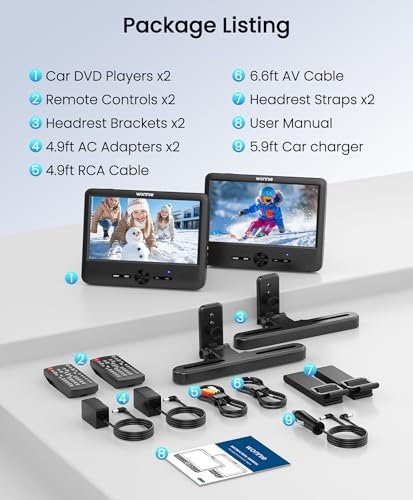
- 5.9 ft
- AV Cable Length
- 6.6 ft
- DVD Region Support
- All regions
- Supported Disc Formats
- DVD, DVD+R/RW, DVD-R/RW, CD, CD-R/RW, VCD, SVCD
- USB Interface
- USB 2.0
- Memory Card Support
- SD, MMC
- Maximum USB/Card Capacity
- 32GB
- USB/Card File System
- FAT32
- Maximum USB/Card Video Resolution
- 720 × 576 pixels
- Supported Video Formats
- VOB, AVI, MPEG-1, MPEG-2
- Supported Audio Formats
- MP3, WMA
- Supported Image Formats
- JPG, JPEG
- Speakers
- 2 stereo speakers per player
- Audio Connections
- Headphone jack on each player
- AV Connections
- AV input and output
- Control Type
- On-device controls, remote controls
- Playback Memory
- Last-memory function
- Installation Type
- Headrest mounting brackets or straps
- Included Components
- 2 DVD players, 2 AC adapters, 1 car charger, 1 AV cable, 1 RCA cable, 2 mounting brackets, 2 headrest straps, 2 remote controls, 1 user manual
How to Choose WONNIE Dual Screen Car DVD Players
Start with the configuration: two screens do not necessarily mean two DVD players. A set with one player and one monitor shares a single source; two independent players can each play a separate disc. Next, compare screen size, native resolution, mounting options, and the space available behind your vehicle’s headrests. Check how each unit receives power, whether both have batteries, and which chargers and connecting cables are included. For media files or external devices, confirm supported codecs, storage limits, and any HDMI or AV input/output functions. Standard DVD players do not play Blu-ray discs.
Installation, Use & Care
Install and test both screens while parked, following the supplied mounting instructions. Keep brackets and cables clear of airbags, seat belts, seat adjustments, and the driver’s view. Check that each mount holds securely and that cables allow normal seat movement without hanging loosely near passengers. Use the specified power accessories, keep ventilation openings uncovered, and remove devices from hot parked cars. Prepare discs and test media files before departure; stop safely before changing connections or adjusting mounts. Keep headphone volume comfortable and include regular breaks during longer journeys. The driver must never watch or operate the screens while driving. For faults or replacement accessories, use the service contact details in the instruction manual included with your purchase.