
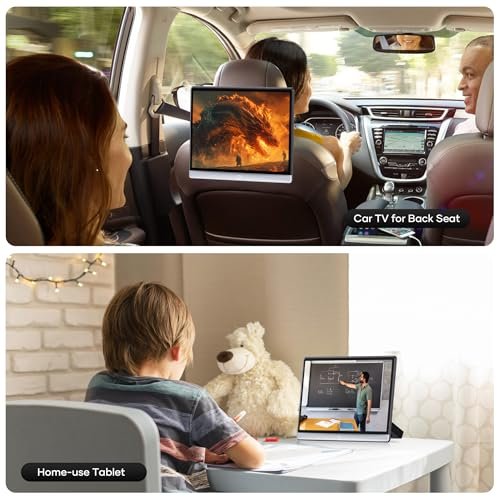
WONNIE Android car TVs and headrest monitors give back-seat passengers a dedicated screen for movies, apps, and compatible media during travel. They suit families who want a larger display than a phone and travellers who use downloaded videos or online entertainment. Depending on the model, connections include Wi-Fi, Bluetooth, HDMI, USB, and wireless phone mirroring. These are different from car DVD players: a disc drive should not be assumed unless it is explicitly listed.
WONNIE AT133-1 13.3-Inch Android Headrest Monitor, 4GB/64GB
Description
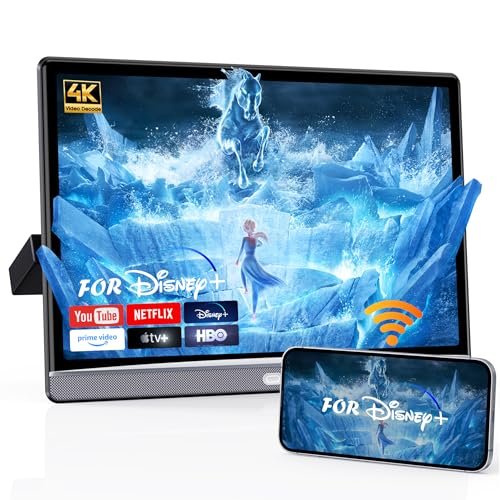
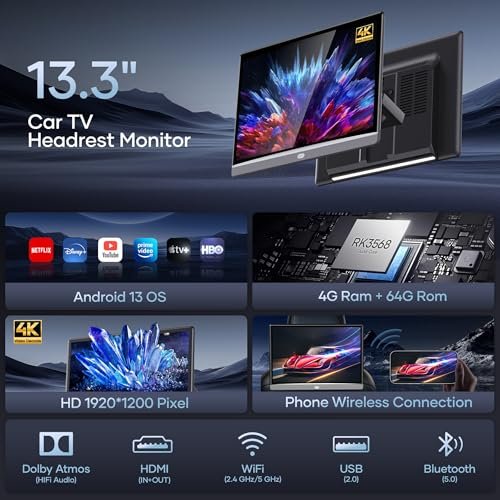
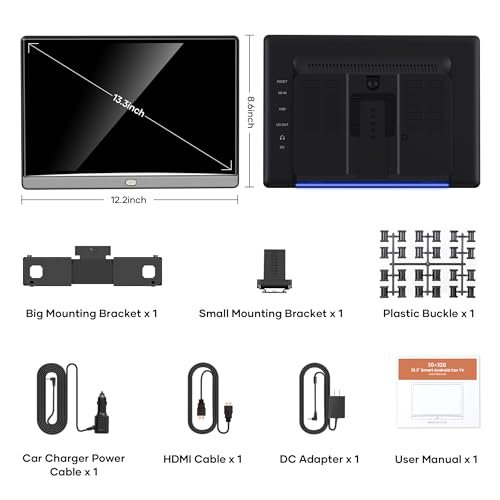
The WONNIE AT133-1 is a single 13.3-inch Android headrest monitor for rear-seat movies, apps, music, and games. Its capacitive IPS touchscreen has a native resolution of 1920 × 1200 pixels. Although the listing advertises 4K video playback, the screen does not display native 4K resolution.
Android 13.0 runs with 4GB RAM and 64GB of internal storage. Dual-band 2.4GHz and 5GHz WiFi supports connections to a wireless network or phone hotspot. The listing describes app installation through Google Play Store or APKPure and over-the-air system updates. Streaming-service compatibility and offline downloads depend on the individual app and subscription.
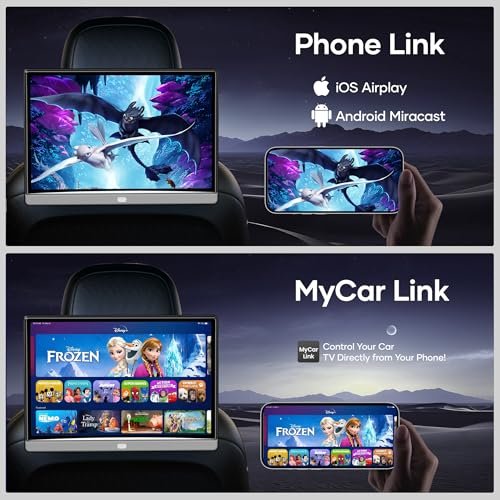
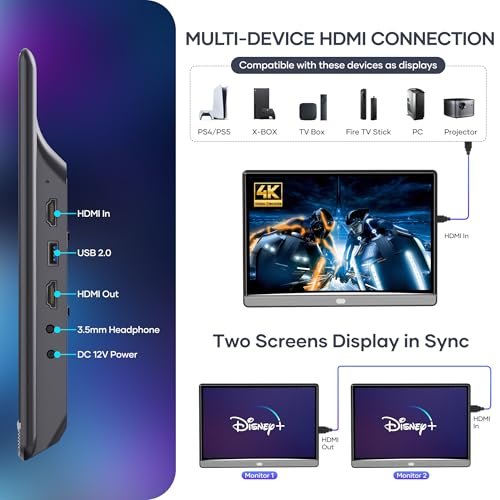
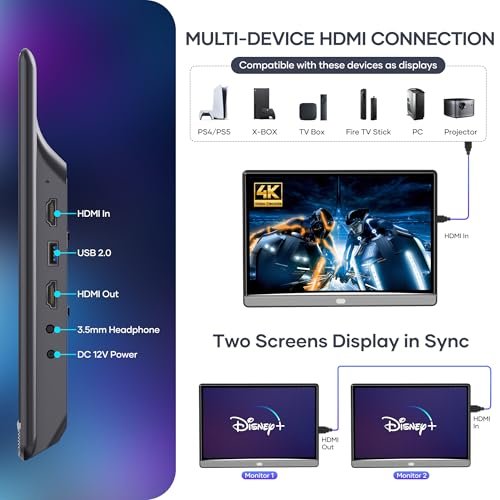
Miracast and AirPlay support wireless mirroring from compatible Android and iOS devices, while the MyCar Link app provides remote control. HDMI, USB, and TF card connections accommodate external sources and stored media. The listing also describes HDMI synchronization between two screens, but this package contains one monitor.
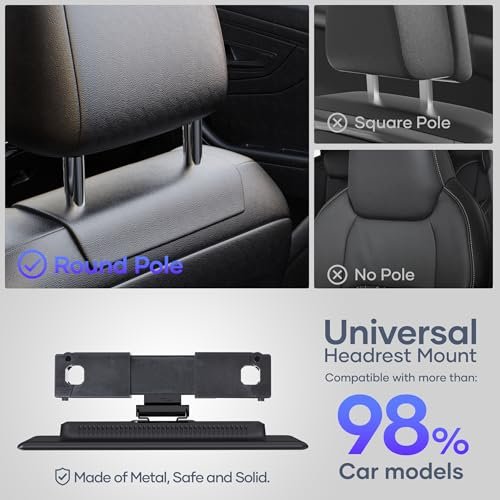
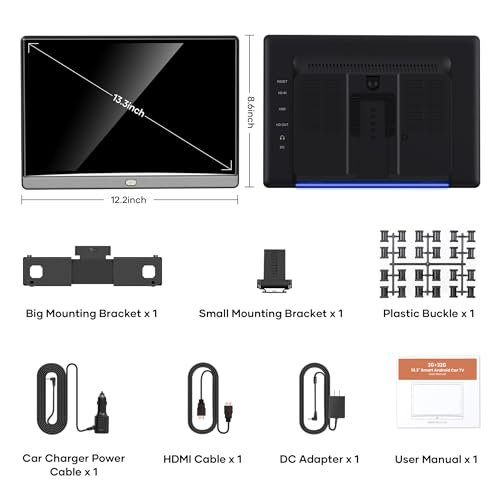
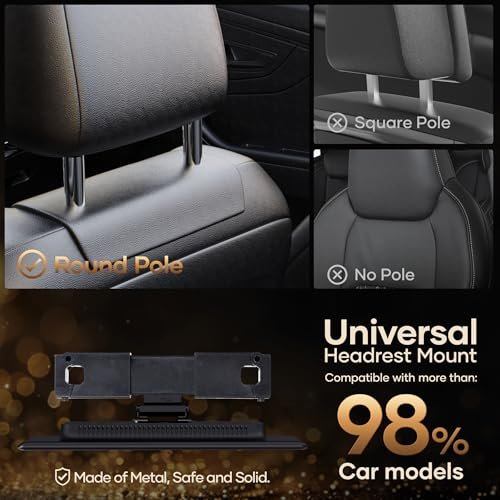
Dual stereo speakers provide built-in audio, with wired and Bluetooth headphone options for private listening. An FM radio and transmitter are also listed, including audio transmission to a compatible car radio. A metal headrest bracket and power adapters for car and home use are included; detailed mounting dimensions are not supplied.
Features
- 13.3-inch capacitive IPS touchscreen provides on-screen navigation and playback control
- Android 13 supports app installation and over-the-air system updates
- Dual-band WiFi connects to wireless networks or a compatible phone hotspot
- Miracast and AirPlay support wireless mirroring from compatible phones
- MyCar Link app provides remote control from a compatible device
- HDMI, USB, and TF card connections support external sources and stored media
- Dual speakers, wired or Bluetooth headphones, and FM transmission provide listening options
- Included metal headrest bracket and power adapters support vehicle installation and home use


Specifications
- Brand
- WONNIE
- Part Number
- AT133-1
- Model
- 4G+64G(1*pcs)
- Product Type
- Android Car Headrest Monitor
- Included Monitors
- 1
- Screen Size
- 13.3 inches
- Screen Type
- IPS capacitive touchscreen
- Screen Resolution
- 1920 × 1200 pixels
- Claimed Video Playback Support
- Up to 4K
- Operating System
- Android 13.0
- RAM
- 4GB
- Internal Storage
- 64GB
- Connectivity
- WiFi, Bluetooth
- WiFi Bands
- 2.4GHz, 5GHz
- Wireless Mirroring
- Miracast, AirPlay
- Remote Control App
- MyCar Link
- App Sources
- Google Play Store, APKPure
- System Updates
- OTA
- Connections
- HDMI, USB, TF card
- Speakers
- Dual stereo speakers
- Audio Options
- Built-in speakers, wired headphones, Bluetooth headphones, FM transmitter
- Radio Features
- FM radio, FM transmitter
- Power Source
- Car and home power adapters
- Installation Type
- Metal headrest bracket, tool-free
- Included Components
- 1 monitor, metal headrest bracket, car power adapter, home power adapter
WONNIE AT133-1 Dual 13.3-Inch Android Headrest Monitors, 4GB/64GB
Description
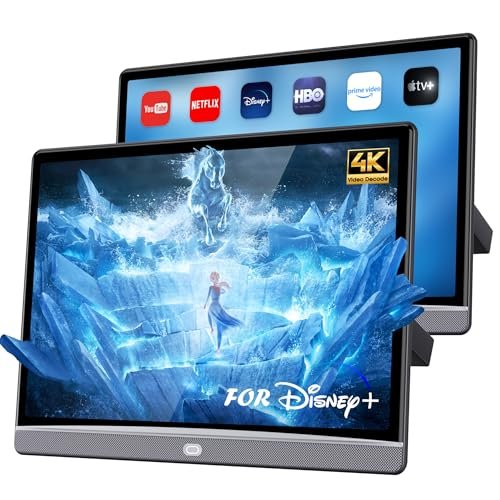
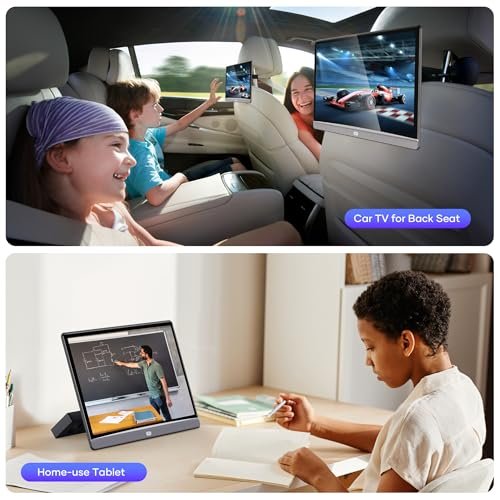
This WONNIE set includes two 13.3-inch Android headrest monitors for rear-seat movies, apps, music, and games. Each screen has a native resolution of 1920 × 1200 pixels and capacitive touch controls. The advertised 4K capability refers to video playback support rather than native display resolution.
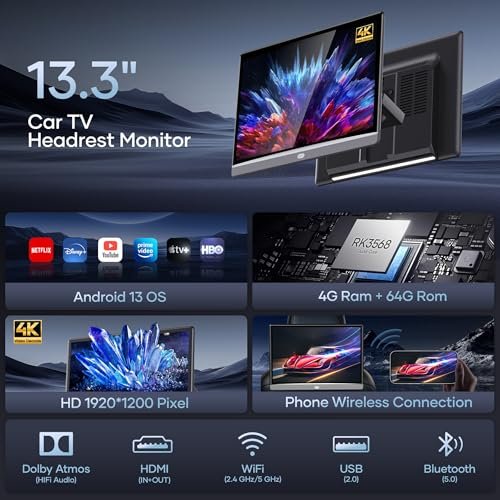
The listing specifies Android 13.0, 4GB RAM, and 64GB internal storage. Dual-band 2.4GHz and 5GHz WiFi supports wireless networks or a phone hotspot. Apps can be installed through the listed Google Play Store or APKPure sources, with availability and offline playback depending on the individual app. Over-the-air system updates are also supported.
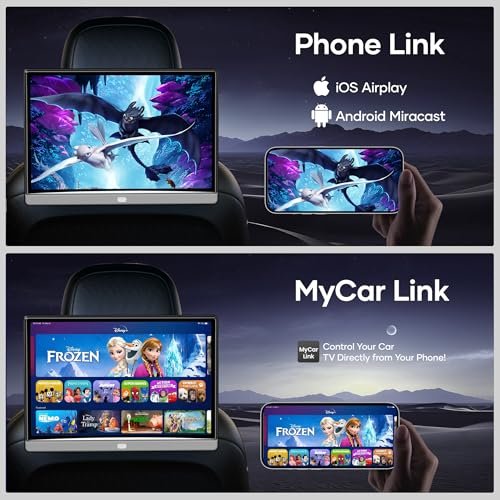
Miracast and AirPlay enable wireless mirroring from compatible Android and iOS devices, while MyCar Link provides app-based remote control. HDMI, USB, and TF card connections accommodate external equipment and stored media. An HDMI synchronization function is described for showing the same content on both screens, though connection requirements are not supplied.
Dual speakers, wired or Bluetooth headphones, and an FM transmitter provide listening options. FM radio reception is also listed. The set is described with metal headrest mounting hardware and power adapters for car and home use, but accessory quantities and mounting measurements require confirmation.
Features
- Two 13.3-inch IPS touchscreens provide separate rear-seat entertainment displays
- Android 13 supports app installation and over-the-air system updates
- Dual-band WiFi connects to wireless networks or a compatible phone hotspot
- Miracast and AirPlay support wireless mirroring from compatible Android and iOS devices
- MyCar Link app provides remote control from a compatible device
- HDMI synchronization allows both screens to display the same content
- USB and TF card connections provide access to stored media
- Built-in speakers, wired or Bluetooth headphones, and FM transmission offer listening options
Specifications
- Brand
- WONNIE
- Part Number
- AT133-1
- Model
- 4G+64G(2*pcs)
- Product Type
- Dual Android Car Headrest Monitors
- Included Monitors
- 2
- Screen Size
- 13.3 inches each
- Screen Type
- IPS capacitive touchscreen
- Screen Resolution
- 1920 × 1200 pixels
- Claimed Video Playback Support
- Up to 4K
- Operating System
- Android 13.0
- Listed RAM
- 4GB
- Listed Internal Storage
- 64GB
- Connectivity
- WiFi, Bluetooth
- WiFi Bands
- 2.4GHz, 5GHz
- Wireless Mirroring
- Miracast, AirPlay
- Remote Control App
- MyCar Link
- App Sources
- Google Play Store, APKPure
- System Updates
- OTA
- Connections
- HDMI, USB, TF card
- Shared Playback
- HDMI synchronization
- Speakers
- Dual stereo speakers
- Audio Options
- Built-in speakers, wired headphones, Bluetooth headphones, FM transmitter
- Radio Features
- FM radio, FM transmitter
- Power Source
- Car and home power adapters
- Installation Type
- Metal headrest bracket, tool-free
WONNIE AT160 16-Inch Android Headrest Monitor, 4GB/64GB
Description
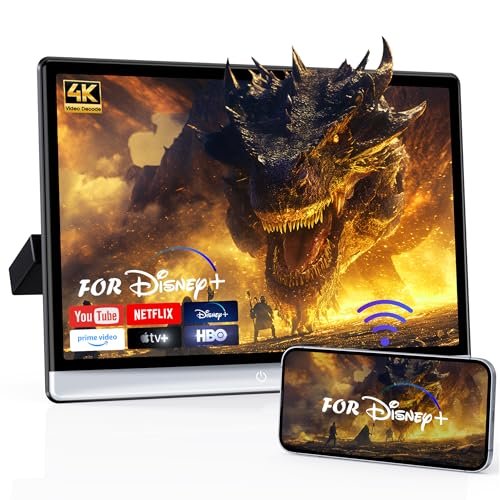
This WONNIE headrest monitor provides a 16-inch IPS capacitive touchscreen with 1920 × 1200 resolution for rear-seat movies, apps, music, and games. The package contains one monitor. Advertised 4K support concerns video playback; the screen’s native resolution is 1920 × 1200.
Android 13.0 runs with 4GB RAM and 64GB of internal storage. Dual-band WiFi supports 2.4GHz and 5GHz networks, including a compatible phone hotspot. The listing describes app installation through Google Play Store or APKPure and over-the-air system updates. App availability, streaming access, and offline downloads depend on the service and device compatibility.
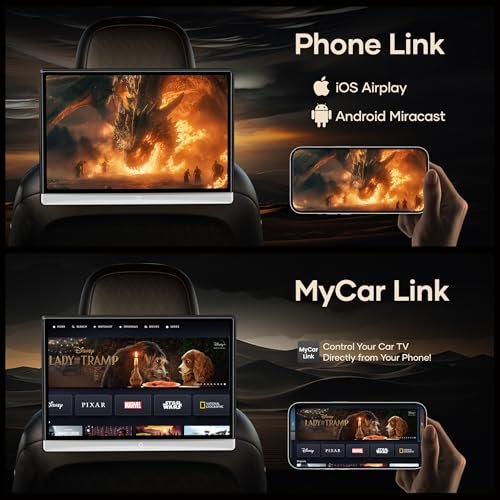
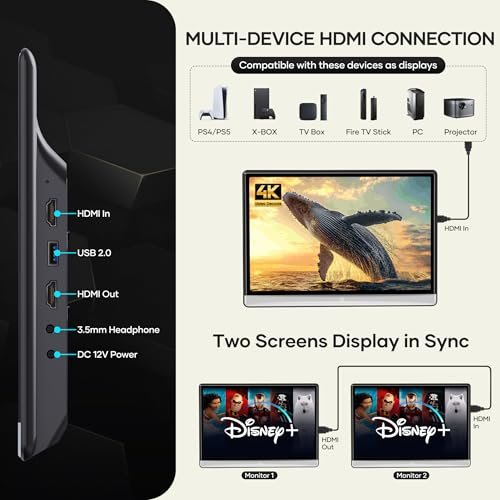
Miracast and AirPlay support wireless mirroring from compatible Android and iOS devices, while MyCar Link provides app-based remote control. HDMI, USB, and TF card ports accommodate external sources and stored media. HDMI synchronization between two screens is advertised, but a second monitor is not included and connection requirements are unspecified.
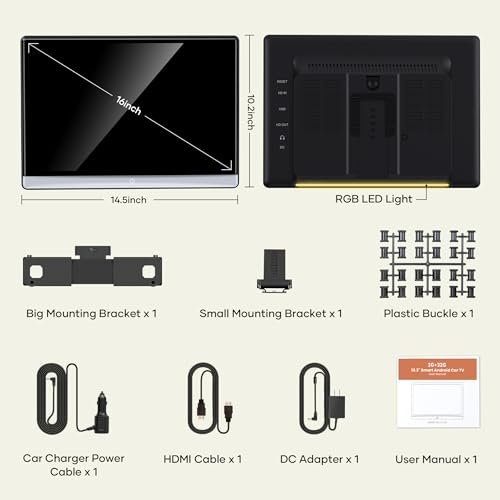
Dual stereo speakers provide built-in audio, with wired and Bluetooth headphone options for private listening. An FM radio and transmitter are also listed. A metal headrest bracket supports tool-free installation, and power adapters for car and home use are included. Detailed headrest fit measurements are not provided.
Features
- 16-inch IPS capacitive touchscreen provides on-screen navigation and playback control
- Android 13 supports app installation and over-the-air system updates
- Dual-band WiFi connects to wireless networks or a compatible phone hotspot
- Miracast and AirPlay support wireless mirroring from compatible Android and iOS devices
- MyCar Link app provides remote control from a compatible device
- HDMI, USB, and TF card connections support external equipment and stored media
- Dual speakers, wired or Bluetooth headphones, and FM transmission provide listening options
- Included metal headrest bracket and power adapters support vehicle installation and home use

Specifications
- Brand
- WONNIE
- Model
- 4G+64G (Single)
- Part Number
- AT160-Car TV
- Product Type
- Android Car Headrest Monitor
- Included Monitors
- 1
- Screen Size
- 16 inches
- Screen Type
- IPS capacitive touchscreen
- Screen Resolution
- 1920 × 1200 pixels
- Claimed Video Playback Support
- Up to 4K
- Operating System
- Android 13.0
- RAM
- 4GB
- Internal Storage
- 64GB
- Connectivity
- WiFi, Bluetooth
- WiFi Bands
- 2.4GHz, 5GHz
- Wireless Mirroring
- Miracast, AirPlay
- Remote Control App
- MyCar Link
- App Sources
- Google Play Store, APKPure
- System Updates
- OTA
- Connections
- HDMI, USB, TF card
- Speakers
- Dual stereo speakers
- Audio Options
- Built-in speakers, wired headphones, Bluetooth headphones, FM transmitter
- Radio Features
- FM radio, FM transmitter
- Power Source
- Car and home power adapters
- Installation Type
- Metal headrest bracket, tool-free
- Included Components
- 1 monitor, metal headrest bracket, car power adapter, home power adapter
How to Choose a WONNIE Android Headrest Monitor
Compare the actual screen size and native resolution with the space behind your vehicle’s seats. “4K support” may describe video decoding or input compatibility rather than a 4K display. Check the mounting requirements, power supply, operating system, RAM, and storage capacity. Confirm support for the apps you plan to use, including any subscription or internet requirements. Wireless mirroring can depend on your phone and may be restricted by streaming services. Check whether HDMI is an input or output, which USB functions are supported, and whether the listing includes one monitor or a pair. For two-screen sets, verify whether each unit operates independently or can share content.
| What to Check | Why It Matters |
|---|---|
| Screen size and overall dimensions | Choose a display that fits behind the seat without crowding passengers or restricting seat movement. |
| Native screen resolution | Check the panel’s actual resolution. Support for 4K video does not necessarily mean a 4K screen. |
| Headrest mount compatibility | Confirm that the supplied bracket fits your vehicle’s headrest design and dimensions. |
| Android version and app support | Verify compatibility with your preferred apps; an Android operating system alone does not guarantee streaming-service support. |
| RAM and internal storage | Compare memory for running apps and storage for downloads. Check whether storage expansion is supported. |
| Wi-Fi and internet access | Confirm supported Wi-Fi bands and hotspot compatibility. Online playback requires a connection and may use substantial mobile data. |
| Phone screen mirroring | Check compatibility with your phone. Some apps restrict mirrored video playback. |
| HDMI and USB functions | Verify input/output direction, supported devices, and media formats rather than relying on port names alone. |
| Audio options | Check speakers, headphone connections, and Bluetooth audio support for passenger listening. |
| Power requirements | Confirm the supplied power connection and whether the monitor requires continuous external power. |
| Single monitor or two-screen set | Check the number of units and whether paired screens support independent or shared playback. |
| Included accessories | Review mounts, cables, adapters, and controls to identify anything you need to purchase separately. |
Installation, Use & Care
Install and test the monitors while parked, following the supplied mounting and wiring instructions. Keep screens, brackets, and cables clear of airbags, seat belts, seat adjustments, and the driver’s view. Use the specified power equipment and check that seat movement does not strain connections. Before travelling, test your apps and media; prepare offline downloads where supported, and monitor data use when connecting through a phone hotspot. Keep ventilation openings uncovered, protect the units from liquids, and avoid leaving them in hot parked cars. Install updates through the supported method, and remove accounts and personal files before transferring a device to another owner. Screens are for passengers—the driver must not watch or operate them while driving. For service, use the contact details in the instruction manual included with your purchase.